



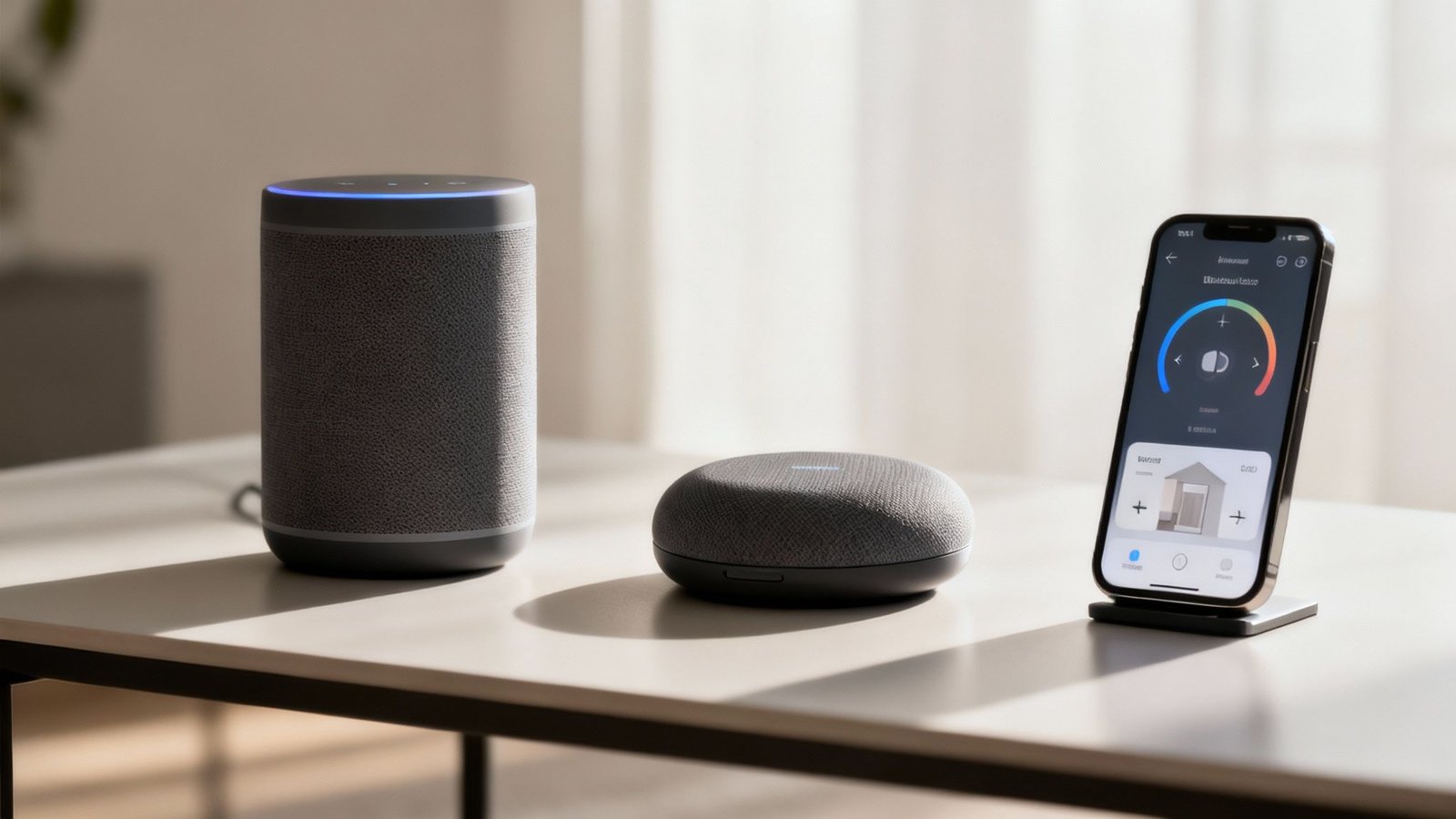
In the ever-expanding world of smart home gadgets, Wyze has carved out a name for itself by delivering incredibly functional and reliable products without the premium price tag. The Wyze Smart Plug is a perfect example of this philosophy. It’s a simple, no-fuss device designed to make any ordinary appliance “smart.” Ideal for beginners, budget-conscious tech enthusiasts, or anyone who just wants to dip their toes into home automation, this plug is all about delivering maximum value with minimum complexity.
Building Your Smart Home Without Breaking The Bank
The whole idea of a connected home once seemed like pure science fiction, a futuristic concept with a price to match. Today, creating a smarter, more convenient living space is a realistic project for just about any budget. Think of this guide as your roadmap, whether you’re a homeowner, a renter, or just a little tech-curious.
We’re going to demystify the world of affordable smart home gear and show you that it’s less about having the most gadgets and more about choosing the right ones. The goal is to make your daily life better in ways you’ll actually notice.
What Makes the Wyze Smart Plug Stand Out?
A few big things happened to bring this tech down to earth. Fierce competition between brands and much more efficient manufacturing have driven prices down dramatically. A decade ago, just getting started was a serious investment, but that barrier has pretty much vanished.
This shift has opened the door for more people to enjoy the practical side of home automation. From simple conveniences to actual savings, the advantages are clear:
- Increased Convenience: Automate the boring stuff, like turning lights on at dusk or adjusting the thermostat when you leave.
- Enhanced Security: Keep an eye on your home from anywhere with affordable cameras and sensors. It’s peace of mind that doesn’t cost a fortune.
- Energy Savings: Smart thermostats and plugs can genuinely help trim your utility bills by optimizing when and how you use energy.
- Simple Installation: Most of this stuff is designed for an easy, DIY setup. No professional help needed.
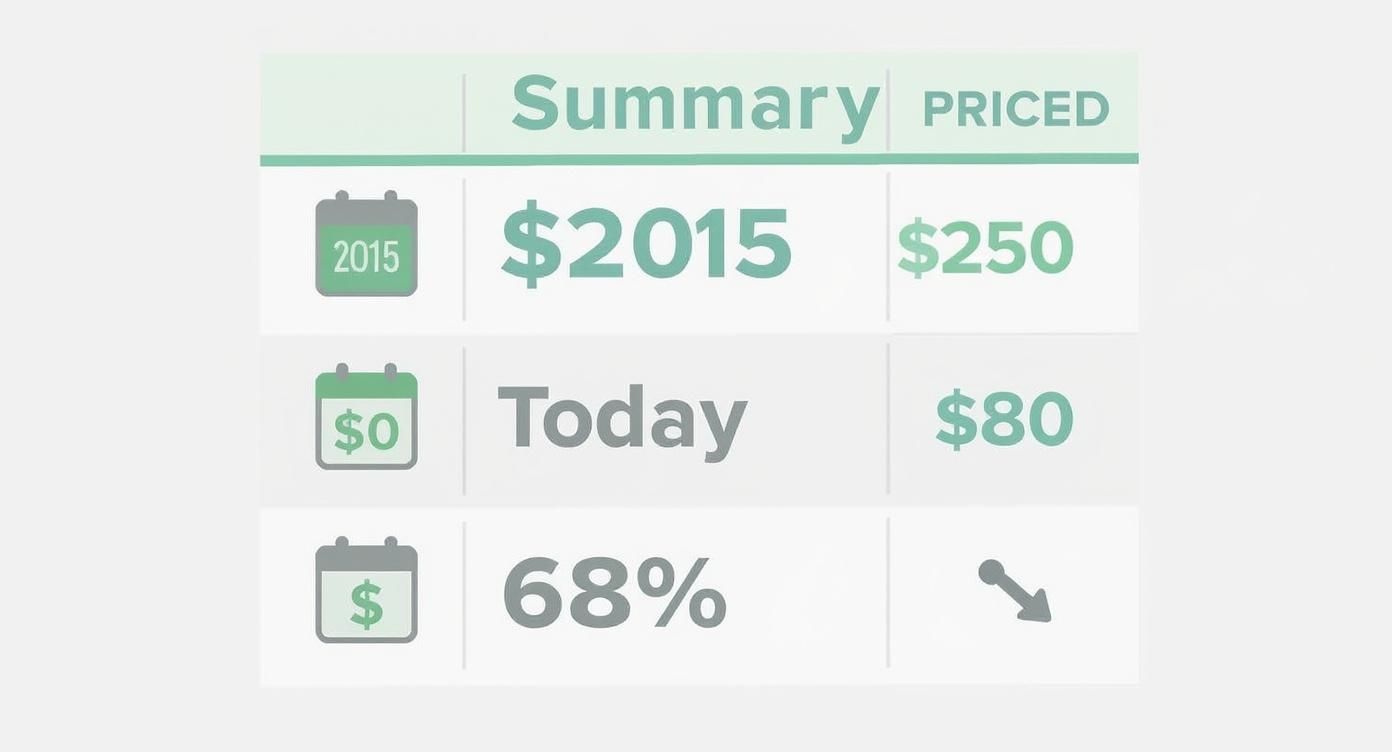
The affordability of smart home devices has improved massively over the past decade. In 2015, a basic starter kit would have set you back around $250. Today, you can grab a similar setup for as little as $80—that’s a 68% price decrease that puts smart home tech in reach for a much wider audience. You can discover more insights about this pricing trend and what it means for consumers.
A truly smart home isn’t one filled with every gadget imaginable. It’s one where a few well-chosen devices work together to make your life simpler, safer, and more efficient.
As you start looking around, remember that building a smart home is a journey, not a race. You can start with a single device that solves one specific problem and expand from there. For more ideas on how to improve your living spaces, you might be interested in checking out our other home and lifestyle guides. We’ll get into the key categories, from lighting that sets the mood to security that protects what matters most, proving a smarter home is well within your grasp.
Features & Benefits: What the Wyze Plug Actually Does
Ready to dip your toes into the smart home world without emptying your wallet? The Wyze Smart Plug is where the journey really begins. Forget the confusing tech jargon; we’re going to focus on what this device actually does to make your life a little easier. Made from a durable, flame-retardant plastic, its compact design ensures it won’t block the second outlet, a small but crucial detail.
Here’s how its key features add practical value to your home:
- Voice Control Integration: The plug works seamlessly with both Amazon Alexa and Google Assistant. This means you can say, “Hey Google, turn on the coffee maker,” without lifting a finger. It’s the ultimate hands-free convenience.
- Custom Schedules & Timers: Using the intuitive Wyze app, you can set your devices on a schedule. Have a lamp turn on at sunset, start a fan in the afternoon, or make sure your holiday lights automatically turn off at midnight.
- Vacation Mode: This clever feature adds a layer of security when you’re away. It randomly turns your plugged-in lights on and off, creating the illusion that someone is home to deter potential intruders.
- Grouping Functionality: If you have multiple Wyze plugs, you can group them together in the app. This allows you to control an entire room’s worth of lamps and appliances with a single tap or voice command.
- No Hub Required: One of its best features is its simplicity. The Wyze Smart Plug connects directly to your home’s 2.4GHz Wi-Fi network, so you don’t need to buy an extra, expensive hub to make it work.
Smart Plugs: Your Universal Remote Control For Everything Else
Imagine having a remote control for literally any outlet in your house. That’s a smart plug. It’s easily the simplest, cheapest, and most versatile smart gadget you can buy.
You just plug it into a regular wall outlet, then plug your “dumb” appliance—like a floor lamp, a fan, or that old coffee maker—into the smart plug. Just like that, your old device has a few new tricks.
- Set Schedules: Have your coffee maker start brewing five minutes before your alarm goes off.
- Use Your Voice: Tell your smart speaker, “Hey Google, turn on the living room fan,” without leaving the couch.
- Remote Control: Realize you left the iron on after leaving the house? Turn it off from your phone. No panic necessary.
Smart plugs are also brilliant for tackling “phantom power”—the energy that devices like your TV and game consoles suck up even when they’re off. Put them on a plug and set a schedule to kill the power overnight.
Pros & Cons of the Wyze Smart Plug
No product is perfect, but the Wyze Smart Plug comes pretty close for its price point. Here’s a balanced look at its strengths and potential drawbacks.
- Pros:
- Extremely Affordable: Usually available in a two-pack, the per-plug cost is one of the lowest on the market from a reputable brand.
- Simple Setup: The Wyze app guides you through the process in under five minutes. It’s truly beginner-friendly.
- Reliable Performance: It responds quickly to app and voice commands without the frustrating lag some budget devices have.
- Helpful Features: Vacation Mode and device grouping add value that goes beyond basic on/off control.
- Cons:
- No Energy Monitoring: Unlike some pricier smart plugs, this model doesn’t track the energy consumption of the connected appliance.
- 2.4GHz Wi-Fi Only: It doesn’t support 5GHz Wi-Fi networks, which can be a minor inconvenience during setup for users with blended networks.
- Indoor Use Only: The plug is not weather-resistant and is designed exclusively for indoor environments.
Customer Reviews: What Real Users Are Saying
To give you a clearer picture, here are a few paraphrased impressions from real customers who have brought the Wyze Smart Plug into their homes.
- “The Perfect ‘Set It and Forget It’ Gadget”: A common sentiment is how incredibly easy the plugs are to set up and integrate into daily routines. One user mentioned setting up schedules for all their lamps and then “completely forgetting about them because they just work flawlessly every single day.”
- “Great for Peace of Mind”: Many customers praise the Vacation Mode feature. A reviewer who travels frequently for work said it gives them “great peace of mind” knowing their home looks occupied, adding a simple but effective layer of security.
- “Wish It Had Energy Tracking”: A more tech-savvy user noted that while the plug is fantastic for control and automation, they wished it had a built-in energy monitoring feature to help them identify which appliances were the biggest power hogs.
- “Occasionally Loses Connection”: A few users have reported that a plug will occasionally need to be reset after a power outage or if the Wi-Fi router is rebooted. While not a widespread issue, it’s a reminder that like any Wi-Fi-dependent device, its stability is tied to your network’s stability.
Choosing Your Smart Home Ecosystem
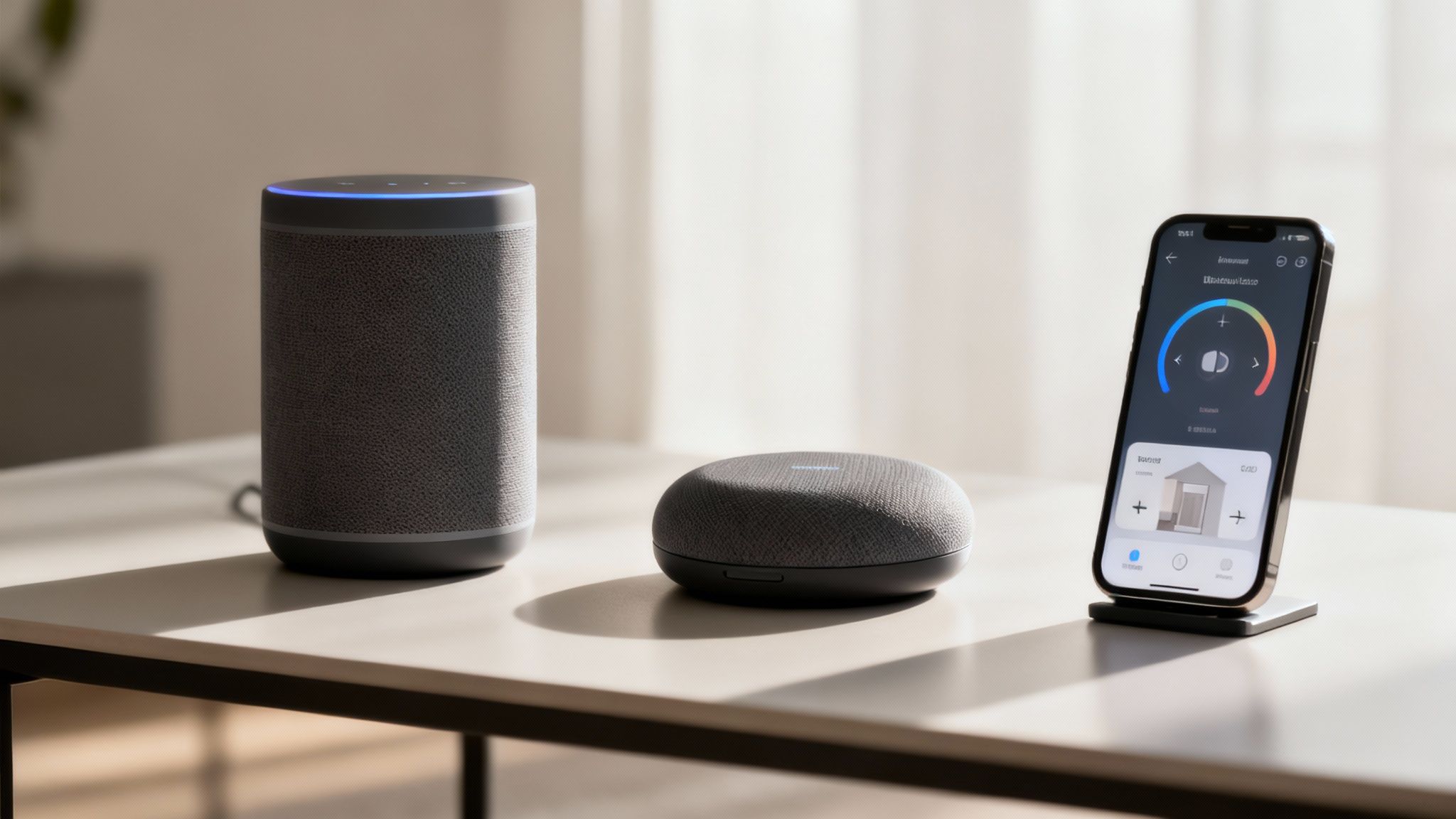
A truly smart home isn’t just a random pile of cool gadgets; it’s a team where all your devices talk to each other and work together. That’s where the idea of a smart home ecosystem comes in. Think of it as picking a common language that all your devices will speak, allowing them to coordinate their actions without you having to play translator.
This central platform is the glue that holds everything together, letting you control your lights, plugs, and thermostat from a single app or with a simple voice command. For anyone piecing together a home with affordable smart home devices, picking your ecosystem early is the single most important decision you’ll make. It saves you the headache of buying a new gizmo only to realize it won’t talk to anything else you own.
Meet The Big Three Players
When it comes to running your smart home, there are three dominant ecosystems, each built around a popular voice assistant. Your choice here will define your entire smart home experience, so it’s worth getting to know the key players.
- Amazon Alexa: The 800-pound gorilla in the room. Alexa is known for its massive device compatibility, especially with budget-friendly brands. If a device exists, it probably works with Alexa.
- Google Assistant: A powerful and intuitive competitor. Google Assistant is fantastic at understanding natural, conversational language and plugs seamlessly into other Google services you already use, like Calendar and Maps.
- Apple HomeKit: The most secure and privacy-focused of the bunch. HomeKit is famous for its strict certification process. This means fewer compatible devices, but the ones that get the stamp of approval work flawlessly inside the Apple bubble.
Choosing an ecosystem isn’t just about picking a voice assistant you like. It’s about investing in a platform that will grow with you. The best ecosystem for you is the one that supports the affordable smart home devices you want to use, both now and in the future.
Comparing The Ecosystems For Budget Builders
Each platform has its own personality, with strengths and weaknesses that become really clear when you’re trying to keep costs down. Your mission is to find that sweet spot between wide compatibility, ease of use, and affordability. Let’s see how they stack up.
Compatibility with Affordable Brands
This is the big one. If you’re shopping on a budget, you need an ecosystem that plays nicely with the thousands of affordable devices from lesser-known brands flooding the market.
- Amazon Alexa is the undisputed champion here. The “Works with Alexa” badge is everywhere, plastered on budget smart plugs, bulbs, and cameras. This gigantic library of compatible gear gives you the most choice, period.
- Google Assistant is a very close second. The “Works with Google Home” program is also incredibly common, and most devices that support Alexa will support Google, too. It’s rare to find a budget device that supports one but not the other.
- Apple HomeKit is the most exclusive club. Apple’s tough MFi (Made for iPhone) certification process is expensive for manufacturers, meaning fewer brands can afford to get their products approved. While the list is growing, you’ll have a much smaller pool of affordable devices to pick from.
Ease of Use and Setup
Getting started shouldn’t require a computer science degree. The command center for your ecosystem is usually an affordable smart speaker, like an Echo Dot for Alexa or a Nest Mini for Google Assistant. These little pucks are where the magic starts.
- Alexa’s app gets the job done but can feel a bit cluttered thanks to the sheer volume of features and “skills.” That said, adding new devices is usually a simple, guided process.
- Google Home’s app is often praised for its clean, intuitive design. It makes grouping devices by room and setting up simple routines feel incredibly straightforward.
- HomeKit’s setup is famously elegant, often using a simple QR code scan to pair a new device instantly. Its tight integration with iOS means controls are baked right into your iPhone’s Control Center, which is a massive convenience for Apple users.
Making Your Final Decision
So, which ecosystem is the right one for your affordable smart home? There’s no single “best” answer, but this should help you find your answer.
| Feature | Amazon Alexa | Google Assistant | Apple HomeKit |
|---|---|---|---|
| Device Compatibility | Excellent (Largest selection) | Excellent (Slightly less than Alexa) | Good (Most limited, but growing) |
| Best For | Maximizing choice with budget brands | Users of Android & Google services | Apple users prioritizing privacy & security |
| Affordable Hub | Echo Dot (often under $40) | Nest Mini (often under $40) | HomePod Mini or Apple TV (over $99) |
Ultimately, your decision probably comes down to the phone in your pocket and what you value most.
If you want the absolute widest selection of affordable smart home devices, Amazon Alexa is your safest bet. If you live and breathe in Google’s world and love a clean user interface, Google Assistant is a fantastic choice. And if you’re an Apple loyalist who puts privacy and security above all else, the curated and rock-solid experience of HomeKit is well worth the narrower device selection.
Balancing Cost and Performance
When you see a smart plug for $10 or a security camera for $30, it’s only natural to wonder, “What’s the catch?” The truth is, with affordable smart home devices, it’s less about a catch and more about a smart balance. These products offer incredible value, but it’s important to have a realistic perspective on the trade-offs involved.
The goal isn’t to find a cheap device that perfectly mirrors a $300 premium model. It’s about finding one that delivers 80% of the core functionality for 20% of the price. This is the sweet spot that makes building a budget-friendly smart home so appealing.
The Beauty of DIY Installation
One of the most significant ways affordable devices save you money is by completely cutting out the need for professional installation. Premium, complex systems often require an expert to run wires, configure hubs, and sync everything together—a process that can easily add hundreds to your bill. Budget-friendly gadgets are designed for the exact opposite experience.
- Plug-and-Play Simplicity: Most devices, like smart plugs and bulbs, are literally as simple as screwing in a lightbulb or plugging something into an outlet. The rest of the setup is handled through an intuitive mobile app that walks you through each step.
- No Hardwiring Needed: Many affordable security cameras and video doorbells run on rechargeable batteries, so you don’t have to touch your home’s electrical wiring. You can mount them with just a few screws in minutes.
- Wi-Fi Direct Connection: The vast majority of these devices connect directly to your home’s Wi-Fi network. This eliminates the need for a separate, and often costly, central hub.
This DIY-friendly approach not only saves you a hefty installation fee but also empowers you to set up, move, and manage your smart home entirely on your own terms.
Where You Might Notice a Difference
So, where do the cost savings come from? Manufacturers of affordable devices make strategic choices to keep prices down. While these differences are often minor for everyday use, it’s good to know what they are. For an expert take on which features matter most, you can explore our editor’s picks for home technology to see how value is balanced in top-performing products.
Generally, the trade-offs fall into a few key areas:
- Material Quality: A $30 smart camera will likely have a plastic housing instead of the metal or premium composite materials found on a $200 model. While it may feel less substantial, it’s often perfectly durable for indoor use.
- Sensor Precision: A budget motion sensor will reliably detect a person walking into a room. A high-end model, however, might offer more granular control, like the ability to distinguish between a pet and a person to reduce false alarms.
- App Features and Polish: The app for a budget device will handle all the essentials—scheduling, remote control, and basic alerts. Premium brand apps may offer more advanced automations, detailed analytics, or a more polished user interface.
- Video and Audio Quality: While most affordable cameras now offer clear 1080p video, a premium alternative might provide 2K or 4K resolution, a wider field of view, or more advanced noise-cancellation for two-way audio.
The key takeaway is this: affordable devices prioritize core functionality over premium frills. They are designed to master the essential tasks exceptionally well, leaving the nice-to-have, but non-essential, features for their more expensive counterparts.
For the average person, these differences are often negligible. A smart plug reliably turns your lamp on and off, a smart bulb changes colors on command, and a security camera shows you who is at the door. You get the vast majority of the smart home experience for a fraction of the investment—a fantastic trade-off for most households. The value isn’t a compromise; it’s just a smart choice.
Securing Your Smart Home On A Budget
Let’s be honest, the moment you connect a new smart device to your network, you’re creating a new digital doorway into your home. The convenience is fantastic, but it also brings up some valid privacy concerns. The good news? You don’t need an expensive cybersecurity service to lock those doors.
Think about it: connecting to public Wi-Fi on your phone can be risky, and the same logic applies to your home network. An unsecured network can leave everything from your smart plugs to your security cameras exposed. Fortunately, a few basic, proactive steps can make a world of difference, even with affordable gadgets.
Common Risks to Know
Before diving into solutions, it helps to know what you’re up against. Most smart home vulnerabilities aren’t sophisticated hacks from a spy movie; they’re usually simple oversights.
- Weak default passwords are an open invitation for automated attacks.
- Unsecured Wi-Fi is like leaving your front door unlocked for anyone passing by.
- Outdated firmware often contains security holes that have since been fixed, but you haven’t installed the patch yet.
- Unencrypted data can be easily read if intercepted on an insecure network.
Knowing these common entry points helps you focus your efforts where they matter most. Now, let’s walk through some clear, actionable steps to button up your setup.
Create Strong Passwords
This is your first line of defense, and it’s a critical one. Don’t just use “Password123” for your new smart camera app.
- Aim for unique passphrases that are at least 12 characters long.
- Mix it up with uppercase letters, lowercase letters, numbers, and symbols.
- Store these complex credentials in a reputable password manager so you don’t have to remember them all.
This simple habit means that even if one device account is ever compromised, the attacker can’t just use that same password to get into everything else. It’s foundational.
Enable Two-Factor Authentication
If a strong password is the lock on your door, think of two-factor authentication (2FA) as the deadbolt. It’s one of the most effective security measures you can take, and it’s almost always free.
- Always activate 2FA on your device’s companion app whenever it’s offered.
- If you have a choice, opt for an authenticator app (like Google Authenticator or Authy) over SMS codes, as they’re more secure.
- Be sure to save your recovery codes somewhere safe in case you lose access to your phone.
85% of breaches stem from weak or reused passwords, which makes turning on 2FA a non-negotiable upgrade.
Keep Firmware Updated
Firmware is the software that runs on your smart device. Manufacturers regularly release updates to patch bugs and—more importantly—plug security holes. Many budget-friendly devices even handle this automatically through their app.
- Set a reminder to check for firmware updates once a month.
- If the device has an auto-update feature, turn it on.
- It’s a good practice to reboot your devices after an update to make sure all the changes take effect.
Staying current is a low-effort way to protect yourself from known exploits.
Compare Encryption Standards
Your router’s Wi-Fi encryption is what scrambles the data flying between your devices and the internet. You’ll want to use the strongest standard your gear supports.
| Protocol | Security Level | Compatibility | Cost Impact |
|---|---|---|---|
| WPA2 | Moderate | Almost all devices | None |
| WPA3 | High | Newer gadgets | Low |
Upgrading to WPA3 is a significant step up, offering advanced protections like individualized data encryption for each device on your network. Many modern routers can be upgraded to WPA3 with a simple (and free) firmware update through the router’s admin settings.
Use a VPN for Extra Safety
For an added layer of privacy, you can run a Virtual Private Network (VPN) on your router. A VPN creates a secure, encrypted tunnel for all your internet traffic, making it nearly impossible for anyone to snoop on your activity.
- You can install a VPN directly on your router to protect every single device on your network automatically.
- Look for a reputable VPN service with a strict no-log policy and strong encryption.
- Run a few speed tests after setting it up to make sure your video streams and smart home automations still run smoothly.
Segment Your Network
This sounds technical, but it’s actually pretty straightforward. Most modern routers let you create a separate “guest” Wi-Fi network. By putting all your smart home gadgets on this guest network, you isolate them from your primary devices like your laptop and phone.
- Check if your router supports multiple SSIDs (network names).
- Give your guest network its own strong password.
- If a smart device gets compromised, this “segmentation” prevents the breach from spreading to the network where your personal data lives.
Review Account Permissions
Over time, we link our smart devices to all sorts of other apps and services. A little digital housekeeping now and then can go a long way in reducing your risk.
- Open each smart device app and review what permissions it has. Does that smart plug app really need access to your contacts?
- Remove any third-party integrations or skills you no longer use.
- Regularly audit the services linked to your main smart home hubs like Alexa, Google, or HomeKit.
Cleaning up these permissions is a quick, zero-cost step that minimizes the potential for data leaks from apps you’ve long forgotten about. Taking these measures will help ensure your affordable smart home remains both convenient and private.
FAQs: Your Wyze Smart Plug Questions Answered
Jumping into the world of smart homes can feel like it comes with a long list of “what ifs.” Let’s clear up the most common questions people have about the Wyze Smart Plug.
1. What kind of appliances can I use with the Wyze Smart Plug?
You can use it with almost any small appliance that has a mechanical on/off switch and draws less than 15 amps. This includes lamps, fans, coffee makers, holiday lights, and slow cookers. It’s not recommended for heavy-duty appliances like refrigerators or space heaters.
2. Is the Wyze Smart Plug durable?
Absolutely. It’s made from a tough, flame-retardant polycarbonate material and is UL certified, meaning it has passed rigorous safety standards. For everyday indoor use, it’s built to last for years. Wyze also offers a standard one-year warranty for extra peace of mind.
3. Will it work if my internet goes down?
If your Wi-Fi is down, you won’t be able to control the plug from your phone or with your voice. However, any schedules you’ve already set (like turning a lamp on at 7 PM) are saved locally on the plug itself, so those will continue to work without an internet connection. You can also always turn it on or off manually using the button on the side.
4. How difficult is it to clean?
It’s incredibly easy. Since it’s an indoor electronic device, just unplug it from the wall and wipe it down with a dry or slightly damp cloth. Avoid using any harsh chemical cleaners.
Conclusion: The Smartest, Simplest Upgrade for Your Home
The Wyze Smart Plug proves that you don’t need to spend a lot of money to make your home significantly smarter. For a minimal investment, you get a massive boost in convenience, a touch of modern security, and a reliable platform for automating your everyday appliances.
If you’re looking for an easy, low-risk entry point into the world of smart homes, or simply want to add more control to your existing setup, the Wyze Smart Plug is an unbeatable value. It’s a small device that makes a big impact, encouraging you to make an informed decision that adds genuine, practical value to your daily life.
At Reva Housing, we believe a smarter, more efficient home should be within everyone’s reach. Our guides are here to help you make informed choices that balance performance, budget, and real-world usefulness. To dive deeper, check out our full library of home and lifestyle guides at https://revahousing.com.
